Working with a client that runs 12 projects across different stacks (PHP services, a Django portal, Go CLIs, Python cloud functions, a JavaScript layer injected into an LMS) is a harder problem for AI assistants than it looks. Each repo carries its own conventions, testing setup, and deployment flow. At the same time, they share databases, send events to each other, and sit on top of a live migration from a legacy backend to a newer one. A change in one system often needs a matching change in another. An engineer joining the team doesn’t learn one codebase. They learn how the codebases interact.
Claude Code, Codex, Cursor, and Opencode all solve the “how does this project work” problem with instruction files: CLAUDE.md for Claude Code, AGENTS.md for the others, loaded at session start. This is the starting point for context engineering: giving the agent the context it needs to solve the task, and no more than that.
A single instruction file is enough when you only touch one project. It starts to show seams when the same engineer has to operate across an entire organization. Some rules apply everywhere (how to write a commit, what linter to trust, which tool preferences to follow). Some apply only to one repo. Writing everything into one flat file duplicates the cross-project rules across 12 repos, or drops them entirely. And stuffing everything into a single giant file isn’t a solution either. Research from ETH Zurich on bloated agent context shows that oversized instruction files increase inference costs while reducing task success rates. HumanLayer observed something stronger: Claude Code’s system prompt tells the model to disregard CLAUDE.md content that isn’t directly relevant to the current task. Padding the file doesn’t just waste tokens. It competes with the rules that matter.
So the problem becomes: how do you give an agent the same onboarding context a new engineer gets (company-wide conventions, how the systems relate, specific-project details) without exploding the context window or duplicating content across every repo?
The approach I’ve landed on has three layers of instruction files, a shared .agents/ directory with skills and additional context, and a symlink strategy that works across every agent I use.
Three Layers of Instructions
Global. A single file at ~/.claude/CLAUDE.md that loads into every session on every machine. This is “how I work” in general, nothing client-specific: tool preferences, commit conventions, git safety rules, output filtering defaults. If I switch clients tomorrow, this file comes with me unchanged.
Workspace. A CLAUDE.md at the root of the folder that contains all the repos for one client. This is where most of the magic happens, because this is where the agent learns how the organization works:
- Which repos exist and what each is for. A one-line description per repo so the agent knows the surface area.
- How data flows between services: which repo produces what events, which one consumes them, where each database lives, which service owns which domain.
- Migration direction (“check the legacy backend first before assuming the feature is in the new API”).
- Environment mapping (test, beta, prod) and the CLI tools that manage each.
- Cross-project patterns the team follows: how tickets are named, how branches are cut, how releases are coordinated.
An agent working on the Django portal now knows that the upstream event producer is the PHP LMS, even though that fact isn’t written anywhere inside the Django repo. Most single-file setups miss this layer entirely, and it’s the one that saves the most time.
Project. Each repo has its own CLAUDE.md with the specifics the repo alone needs: framework conventions, local test commands that work, known gotchas, recovery procedures when the env breaks.
Three layers, no redundancy. Each one carries what the other two don’t.
What Belongs in These Files
The filter I apply: if the agent gets it right without me telling it, the rule doesn’t go in the file. If the agent gets it wrong without context, the rule goes in. Everything else is cruft.
Rules that pass the filter:
- “Routes are stored in a database table, not a config file.” The agent would never guess this. It hardcodes routes otherwise.
- “Use Docker Compose to run tests. Bare PHPUnit bypasses the tenant resolver.” Without this, the agent burns time debugging tenant errors.
- “Use pnpm, not npm.” Applies to every JS project I touch, so it lives at the global level.
Rules that fail the filter:
- “This is a Django 4 project.” The agent reads
settings.pyand knows. - “Controllers follow a service-repository pattern.” The agent reads
app/and infers it. - “We use PSR-12 for PHP code style.” A linter enforces this; the agent doesn’t need a reminder.
That last one points to a more general pattern: rules that can be mechanically enforced don’t belong in instructions at all. They belong in a git hook or a linter. I’ll come back to this in a future post, since the enforcement layer is a topic on its own.
Context files should shrink over time, not grow. Martin Fowler’s point applies: “what you might have had to put into the context half a year ago might not even be necessary anymore.” Models improve. Delete what no longer earns its tokens.
Skills as Auto-Discoverable Context
Instruction files have one structural limitation: they’re loaded for every session, regardless of what the session is about. The longer they get, the more irrelevant content loads on every turn. That’s why the filter above matters.
Skills solve the other half of the problem. A skill is a markdown file with YAML frontmatter at the top describing when it should be activated, and a body describing the steps. Unlike instruction files, skills are not loaded all at once. The agent scans the frontmatter descriptions of available skills and decides which one to load based on the task at hand. Irrelevant skills stay cold.
This shifts the design of context engineering. Any context that is only relevant to a specific task (how to deploy a given service, how to run a migration against a specific environment, how to build a course in the LMS, how to onboard a new partner into the portal) does not belong in the always-loaded CLAUDE.md. It belongs in a skill, activated only when the task matches.
So a surprising amount of content that people put in CLAUDE.md should move out. Step-by-step procedures. Environment-specific runbooks. Multi-phase workflows. Anything tied to a specific task can live as a skill, kept out of the session until that task comes up.
Skills live at two levels, the same way instruction files do:
- Personal skills like Google Workspace automations, daily digest, or media transcription sit in
~/.claude/skills/. Available on any machine. - Organization skills like course building, database tools, or deployment scripts need to reach every repo inside the client’s workspace.
The question becomes where organization-level skills physically live. Each tool discovers skills from its own path, so committing to one path locks out the others. The next section covers the layout I use to avoid that.
The .agents/ Folder as the Source of Truth
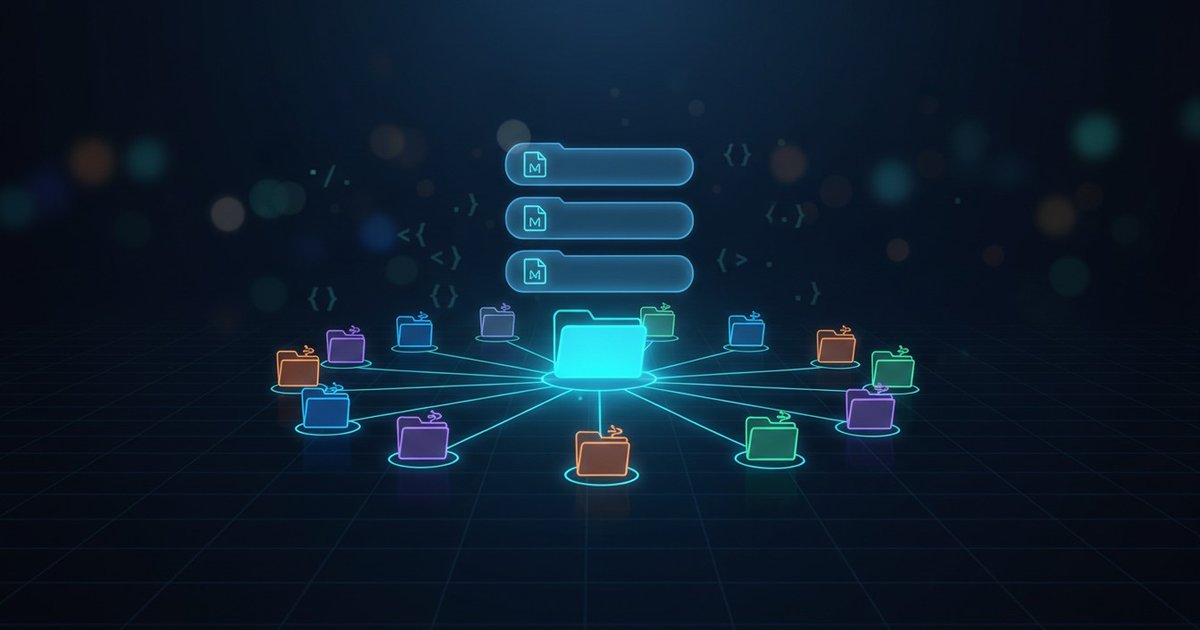
The shape I settled on: a single .agents/ folder at the organization root, with everything shared underneath it.
~/Repos/client/
├── CLAUDE.md                   ← workspace instructions
├── .agents/
│   ├── skills/                 ← reusable procedures (deploy, migrate, onboard)
│   ├── agents/                 ← specialized reviewers (PHP, QA, systems)
│   └── docs/                   ← runbooks, postmortems, architecture notes
├── repo-1/
│   ├── CLAUDE.md               ← project instructions
│   └── .claude/skills  → ../.agents/skills
└── repo-2/
    ├── CLAUDE.md
    └── .claude/skills  → ../.agents/skills
Every project repo carries a .claude/skills symlink pointing to ../.agents/skills. One source of truth, every repo consumes it, a single edit updates all 12 projects instantly.
.agents/ holds more than skills. It’s where shared context lives at the organization level:
- Specialized reviewer agents that sub-agents can adopt: a PHP expert primed on the custom MVC conventions, a QA agent that knows each repo’s test framework, a systems reviewer that checks cross-project dependencies.
- Runbooks and postmortems: architecture notes that don’t belong in any single repo’s CLAUDE.md, incident writeups, environment diagrams. The agent can pull these in on demand, the same way it does with skills, without burning tokens on every session.
For tools that already read .agents/ natively (Codex, Cursor, Copilot, and the rest), no symlink is needed. For Claude Code, the .claude/skills symlink bridges the gap until native .agents/ support lands. When it does, those symlinks disappear.
The principle matters more than the exact directory layout: one source of truth, consumed by every tool, no vendor lock. Pointing a new agent at the same folder gets everything at once.
Specialized Agents as Parallel Reviewers
One of the subfolders under .agents/ holds custom review agents. Each one is a markdown file priming a sub-agent with a specific focus: a PHP expert on the custom MVC conventions, a JavaScript specialist on the dual-build rule during the migration, a systems reviewer on cross-project dependencies, a QA agent on test frameworks.
Specialization matters. A generic “review this code” prompt gives generic feedback. An agent primed with hundreds of lines of project conventions gives feedback that sounds like it came from someone who has been on the project for a year. I run these in parallel during reviews. The parent session only sees the summaries, so its context window stays lean.
This is where context engineering stops being “the file you write” and becomes “routing the right slice of that context to the right step of the task.” Instruction files, skills, and specialized agents are all part of the same routing system.
Everything described above is a manual workaround. It holds up well enough today, and is what makes 12 repos feel like one coherent engineering environment instead of 12 disconnected ones. A later post in this series will cover the plugin approach that removes the manual plumbing entirely.