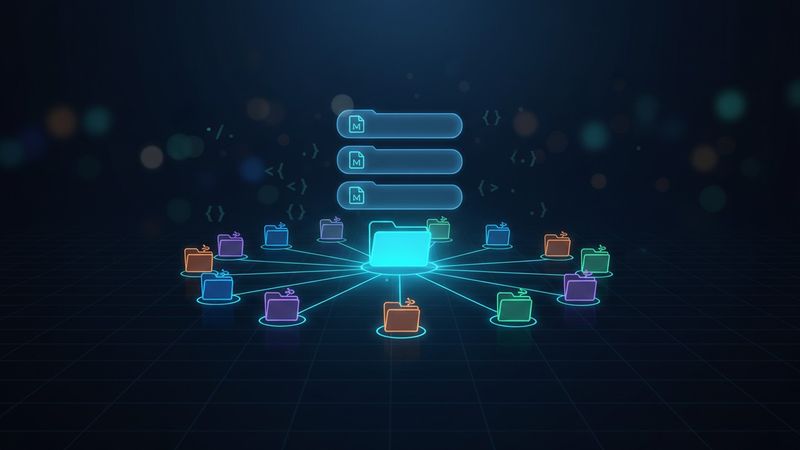
Model Context Protocol (MCP) is the standard way to give AI coding assistants access to external services. A MySQL MCP exposes database queries. A Playwright MCP exposes browser automation. A Jira MCP exposes ticket operations. The agent discovers tools, calls them, and works.
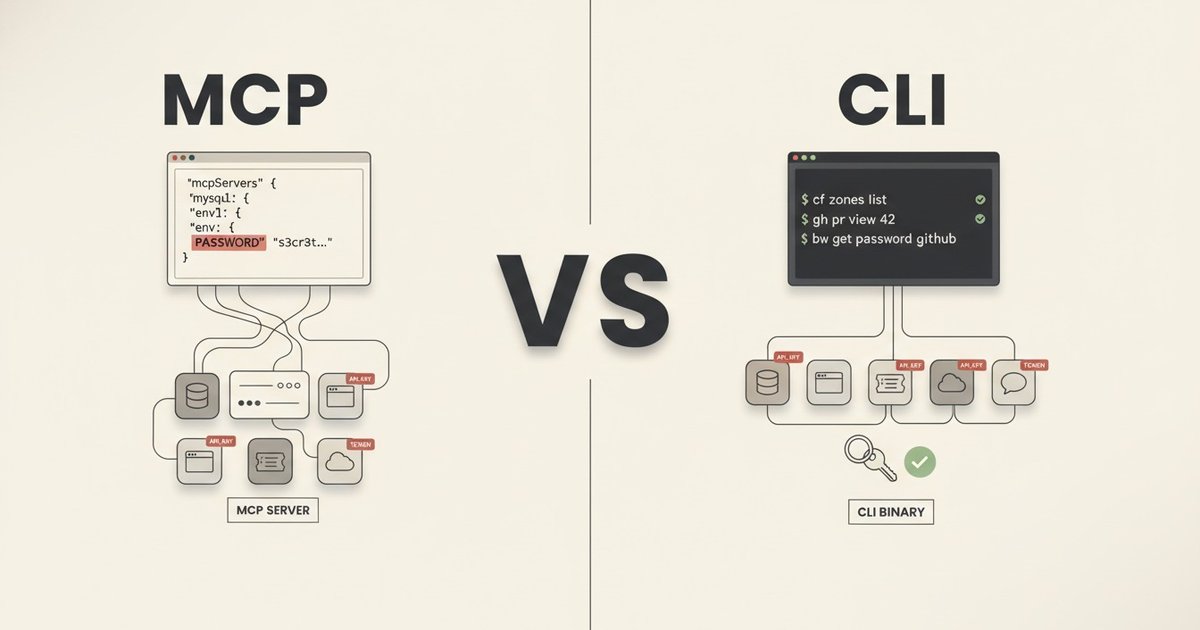
The pattern is useful. Some MCPs get it right: Atlassian’s uses OAuth through a browser flow with no secrets in config. Others ship with built-in safeguards. The MySQL MCP I was running defaults to read-only queries and denies DDL. That restriction sounds good on paper, but the credential storage pattern underneath makes it bypassable. If credentials live in a JSON config the agent can read directly, the agent does not need the MCP’s query function to reach the database at all. It can read the config, grab the password, and connect on its own.
After six months running both in production, I moved my MySQL and browser-automation work off MCP servers and onto CLIs. MySQL moved to a separate internal Go CLI I maintain for day-to-day work with a client (it also covers deployments, health checks, and service management). Browser automation moved to playwright-cli. Canvas LMS work, where the agent had previously been driving the API with raw curl calls, moved to canvas-cli for the same reason: auth in the keyring, not in the agent’s context.
The previous post covered the enforcement layer that keeps agent behavior safe inside the editor. Hooks, linters, secret scanners, permission allowlists, completion gates. This post covers the layer beyond that: how the agent reaches external services, and why MCPs are not always the best fit for that job.
One scope note before going further. This post assumes an agent that can execute shell commands, like Claude Code or Cursor in agent mode. If your agent has no shell access (web chatbots, embedded UI agents, most SaaS assistants), MCPs are the right path. Even there, the pattern below still applies: build the functionality as a CLI first, then wrap it as an MCP when you need the protocol surface. The “One Binary, Two Interfaces” section at the end shows how in a Go library.
What Breaks First: Credentials
A typical MySQL MCP configuration:
{
  "mcpServers": {
    "MYSQL_BETA": {
      "command": "npx",
      "args": ["@benborla29/mcp-server-mysql"],
      "env": {
        "MYSQL_HOST": "127.0.0.1",
        "MYSQL_PORT": "3306",
        "MYSQL_USER": "beta-user",
        "MYSQL_PASS": "actual-password-here",
        "MYSQL_DB": "my_database"
      }
    }
  }
}
The database password lives in a JSON file. If the file sits in the project root, one misconfigured .gitignore away from being committed. Even if the .gitignore is correct, the credential exists as plaintext on disk, readable by any process under the user, including the agent. Whatever safety the MCP layer adds on top (read-only mode, allowlisted tables, query-length limits) stops being a gate once the agent can open the config and use the credential directly.
Not every service has an OAuth flow available. MySQL, Redis, raw cloud storage buckets, and legacy APIs require an API key or username/password to authenticate. When the service needs a shared secret, that secret has to sit somewhere the client can read. In the MCPs I was using, that somewhere was the agent’s config file. Services that do support OAuth (Atlassian’s MCP, for example) sidestep this entirely, but for the rest, the credential lives with the integration and therefore within reach of the agent.
I had five MySQL MCPs across two projects. Each one carried plaintext credentials. Canvas LMS was a different shape of the same problem. The agent had a personal access token in .env and was building HTTP requests by hand against the Canvas API, which exposes the token to every shell invocation that reads the file.
What a CLI Fixes
A CLI sits between the agent and the service. The agent runs commands and reads structured output. Two things change structurally from the MCP setup:
- Auth stays out of context. Tokens live in the system keyring. The agent runs
canvas courses listand never sees an OAuth token. Token refresh, 401 retries, device flows all happen inside the CLI. - Context stays small. MCP servers register their tool schemas with the agent at session start, before any work begins. Ten MCPs can add tens of thousands of tokens of tool descriptions that live in context for the whole session. The runtime cost compounds the problem. The Playwright MCP was the clearest case in my setup: when the agent asked it to inspect a page, it dumped the full HTML, the visible text, and the accessibility tree into context first, and filtered after. Simple tasks burned huge token counts on content the agent did not need; complex ones lost the room the agent needed to actually solve the problem. (That is the gap playwright-cli was built to close: fetch only what the agent asks for, on demand.) A CLI adds nothing until you call it; only the output of actual calls enters context. And that output is composable: the agent can pipe it through
jq,grep,head, orawkto drop fields and trim size before anything reaches context. Modern CLIs are built with this in mind, shipping LLM-friendly output formats (stable JSON, optional compact modes, terse flags, opt-in verbosity). With current API prices and rate-limit cuts, that is the difference between a session you can afford and one you cannot. - The direction is one-way. A CLI can be wrapped as an MCP server later (ophis does this for Cobra-based CLIs in a single library call, shown further down). Going the other way is harder. MCP servers run inside the protocol runtime. To turn one into a usable shell command, you rewrite most of it. Building the CLI first keeps both options open and lets you expose the MCP surface only when a client actually asks for it.
A well-built CLI can also ship rate limiting, caching, pagination, and cleaner error messages. MCPs can ship the same things. The three wins above are the only ones baked into the shape of each approach.
What LLMs Already Know
Mainstream CLIs are already in the LLM’s training data. gh, gcloud, aws, kubectl, docker, git. An agent does not need a schema, a tool description, or a per-session context loader to use them. It knows the flags and the output shapes by default.
This shifts the MCP-vs-CLI tradeoff. A GitHub MCP is a popular default for giving agents GitHub access. The gh CLI is often the better choice: the agent already knows it, gh pr list --json ... gives clean structured output, and the token stays in ~/.config/gh/hosts.yml where only the shell can reach it.
The move is happening at the vendor level too. Cloudflare shipped cf in April 2026 as a technical preview, explicitly positioned as the path for AI-agent access to their platform. Current scope is a subset of their products. Full coverage (thousands of operations across 100+ products) is the target. Google Workspace exposes gws for the same surface. Vendors are building CLI-first surfaces for the reasons laid out in this post.
For the CLIs an LLM does not know (internal tools, niche industry CLIs), the context layer from post 1 covers the gap. A skill file that documents what the CLI does and when to use it is enough. Skills are auto-discoverable by the runtime, so the relevant ones load only when the task matches. In my setup, canvas-cli and the internal CLI each have a skill file next to their code, and the agent picks them up automatically when a Canvas or infra task comes up.
Two CLIs in Practice
canvas-cli (open source)
canvas-cli is a Go CLI I maintain for Canvas LMS. It started as a personal tool and now exposes 280+ commands covering courses, assignments, modules, enrollments, submissions, and more.
Auth uses OAuth 2.0 with PKCE and stores tokens in the system keyring. Multi-instance support lets me switch environments: canvas --instance production courses list versus canvas --instance sandbox courses list. Output formats include JSON, table, and CSV. The agent typically uses --output json because it is easier to parse.
A single statically linked binary on the PATH. If I switched AI tooling tomorrow, the CLI would work unchanged.
An internal client CLI with safety rails
For my day-to-day work with a client I also maintain a Go CLI that handles deployments, database queries, health checks, and service management. It is not open source because it is specific to that environment, but the safety patterns generalize:
--dry-runshows what a command would do without doing it. The agent runs it first on any destructive operation.--explaindescribes the operation in plain language: which services are affected, what order things happen in, what depends on what.- Read-only by default. Database queries get read-only connections unless the command is explicitly a write. Write operations require an explicit
--writeflag. - Query timeouts and result size limits. An unqualified
SELECT *on a large table fails early instead of returning a gigabyte to the agent’s context.
The agent cannot accidentally run a destructive operation because the CLI rejects it unless the flags say otherwise. This pairs directly with the permission allowlist from the enforcement post. The allowlist can match a specific command pattern: Bash(mycli db query --read-only:*) allowed, any --write variant denied. The command structure exposes the destructive intent, so the allowlist can gate it. An MCP tool call hides that intent behind a generic mysql_query, so the allowlist has to allow or deny the whole tool. The specific operation inside is invisible to it.
When the MCP Wins
I did not replace everything. Two MCPs stayed.
Jira (Atlassian official MCP). Functional coverage decides this one. My Jira workflow uses worklogs (list, edit, delete, not just add), ADF-formatted comments (bold, multi-paragraph), user account lookups, issue type metadata for programmatic ticket creation, and Rovo AI search. I evaluated both the official Atlassian CLI (ACLI) and the strong open-source option (ankitpokhrel/jira-cli, ~5K stars). As of April 2026, jira-cli supports worklog add but not full CRUD, accepts markdown for comments but does not preserve ADF structure, and has no user search or issue-type field metadata. ACLI is evolving but still falls short. The Atlassian MCP via OAuth covers all of it: one browser auth flow, typed tools across the full API surface.
Context7. Live, up-to-date documentation lookup for libraries. The MCP indexes thousands of docs sites and exposes a search tool the agent can hit when it needs current API references. The CLI equivalent would be a docs scraper I’d have to maintain; the MCP is the right shape because the value is in the index, not in the protocol.
The rule I use: when the CLI covers enough of what the agent needs, use it. When the gap is big enough to matter, keep the MCP. And when the MCP exposes something the model can’t get any other way (live external indexes, vendor-specific full APIs), the protocol pays for itself.
Writing a CLI With Agents in Mind
A few patterns that make a CLI good for AI consumption:
- Structured output by default, or one flag away.
--output jsonbeats parsing table layouts. - One operation per command.
canvas courses listbeatscanvas manage --resource courses --action list. - Flat command space. Two or three levels of nesting at most. Agents discover commands through
--help, so deep hierarchies waste tokens. - Stable error messages. Phrases like “Course not found” and “Authentication expired” are more useful than HTTP status codes.
- Exit codes that mean something. Success is 0. Argument errors are one class, auth failures another, upstream API errors another.
Go is a good fit for this kind of CLI: single statically linked binary, cross-compilation, fast startup, no runtime dependencies. The CLIs I maintain compile for macOS (ARM and Intel) and Linux (AMD64) from one codebase and deploy by copying the binary.
One Binary, Two Interfaces
The CLI-versus-MCP framing turns out to be a false choice. You can ship one binary that presents as both.
A Go library called ophis walks a Cobra command tree and converts every command into an MCP tool. Integrating it into the Canvas CLI took 18 lines:
rootCmd.AddCommand(ophis.Command(&ophis.Config{
    ToolNamePrefix: "canvas",
    Selectors: []ophis.Selector{{
        LocalFlagSelector: ophis.ExcludeFlags("show-token"),
    }},
}))
That produced 253 MCP tools from the 280+ CLI commands. Required flags became required JSON Schema properties. Optional flags stayed optional. Descriptions carried over from the Cobra help text. When an MCP client calls a tool, ophis re-invokes the binary with the reconstructed arguments. No shell involved, so no injection risk.
The binary now supports both modes:
# CLI mode
canvas courses list --instance prod -o json

# MCP mode
canvas mcp start
The CLI keeps its advantages: auth in the keyring, no credentials in context, structured output. MCP mode adds discoverability and schema validation for clients that prefer it. Same binary, same security model, no duplication.
Any other Cobra-based CLI can get the same treatment. If you have a well-structured CLI, exposing it as an MCP is a single library call rather than a rewrite.
Where This Leads
Start with the CLI. Let the agent use it natively through shell. Wrap it as an MCP only when a client without shell access asks for the protocol surface. One binary, one security model, nothing duplicated.
The enforcement layer (hooks, linters, tests) keeps AI-written code safe inside the editor. The CLI layer keeps it safe outside the editor, in every service the agent touches. The next step, packaging all of this (context files, hooks, skills, agents, CLIs) into a single distributable unit, is the capstone post of this series.